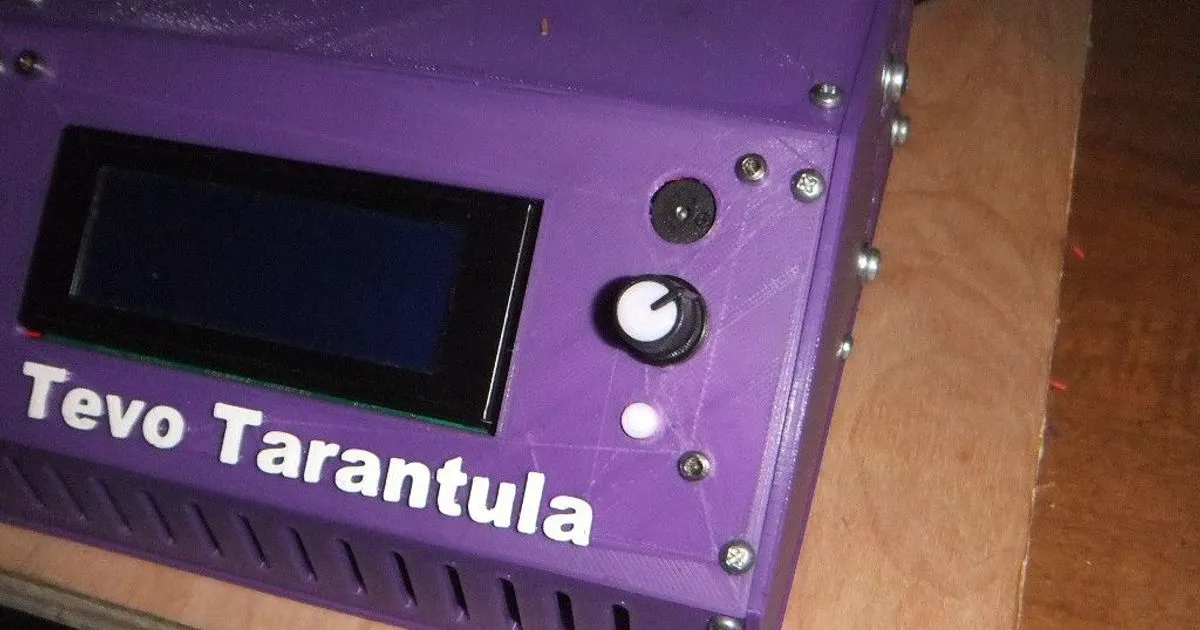
Understanding Tevo Tarantula End Stops
The Tevo Tarantula is a popular and affordable 3D printer, known for its ease of assembly and modifiability. A crucial part of its functionality, and indeed the functionality of any 3D printer, are the end stops. These small but mighty components play a vital role in ensuring accurate printing and preventing damage to the printer. Understanding how they work, the problems they can cause, and how to troubleshoot them is essential for any Tevo Tarantula owner. This guide will walk you through everything you need to know to keep your printer running smoothly.
What are End Stops?
End stops, also known as limit switches, are small sensors located at the extreme ends of the printer’s axes (X, Y, and Z). Their primary function is to tell the printer’s firmware when the print head or bed has reached its designated maximum travel distance along each axis. Essentially, they act as physical boundaries. When the print head or bed makes contact with an end stop, the switch is triggered, sending a signal to the printer’s control board. This signal halts the movement of the corresponding axis, preventing the print head or bed from crashing into the frame or other components. Without properly functioning end stops, your printer is very likely to experience print failures and potential damage.
Why are End Stops Important?

The importance of end stops cannot be overstated. They are fundamental to the printer’s safe and reliable operation. They serve several critical purposes. First, they define the printable area. By accurately signaling the maximum travel distance, they ensure that the print head stays within the confines of the print bed. Second, they provide a reference point for homing. When the printer is first turned on or after a print is complete, it homes itself by moving the print head and bed until they trigger the end stops. This establishes a known zero point for the printer’s coordinate system. Third, they prevent damage. Without end stops, the print head or bed could continue to move, potentially crashing into the frame, the bed, or other components, leading to costly repairs. Finally, they contribute to print quality. Accurate homing and defined boundaries lead to more precise and consistent prints. End stops are an important part of any 3d printer.
Common Tevo Tarantula End Stop Problems
While generally reliable, Tevo Tarantula end stops can sometimes encounter issues. These problems can manifest in various ways, from printing errors to complete printer malfunctions. Knowing the common issues can help you diagnose and resolve problems quickly. The most frequent issues tend to be related to the switch itself, the wiring, or the mechanical setup. Taking the time to understand how each of these can contribute to the failure will make the troubleshooting process much less difficult.
Failure to Trigger
One of the most common problems is the end stop failing to trigger when the print head or bed reaches it. This can be caused by a variety of factors. The switch itself might be faulty or damaged. The physical contact point (the small lever or plunger) might not be making proper contact. The end stop might be misaligned, preventing it from being triggered. The firmware settings may also be incorrect, leading to the printer not recognizing the signal from the end stop. This is usually caused by a firmware setting that has been modified, or was incorrect during the printer’s initial setup. This failure will usually result in the printer’s head crashing into one of the sides of the printer frame.
Incorrect Wiring

Incorrect wiring can cause a range of issues, including the end stop not functioning at all, triggering constantly, or behaving erratically. Loose connections, broken wires, or incorrect wiring to the control board are all potential culprits. Polarity is also important. The end stops use a simple two or three-wire system, but if the wires are swapped, the signal might not be correctly interpreted by the printer’s control board. Always double-check that the wiring matches the manufacturer’s specifications and that all connections are secure. This is one of the more common issues that many new users experience during assembly.
Physical Obstruction
Physical obstructions can prevent the end stop from triggering correctly. This might be due to debris accumulating around the switch, the print head or bed colliding with the switch housing, or the switch itself being physically damaged. A warped print bed can also sometimes cause issues, especially on the Z-axis end stop. Regularly inspect the end stops and their surrounding area for any obstructions. Make sure there is sufficient clearance for the print head and bed to move freely. Any of these issues can be easily resolved with an inspection and some minor adjustments to the mechanical setup.
Troubleshooting Tevo Tarantula End Stops
When facing end stop issues, a systematic approach is the most effective way to diagnose and resolve the problem. Start by visually inspecting the printer, then move to the electrical components, and finally, check the firmware. This structured approach will help you identify the root cause quickly and efficiently, saving you time and frustration. Often, the issue is something simple to fix, and a little bit of patience will quickly have your printer running smoothly again.
Visual Inspection

Begin with a visual inspection. Examine the end stops themselves for any visible damage, such as broken levers, cracked housings, or bent pins. Check for any obstructions that might be preventing the switch from triggering. Ensure that the end stops are securely mounted and that their positions are aligned correctly with the print head or bed. Look for loose wires or any signs of wear and tear on the wiring. A quick visual check can often reveal obvious problems that are easy to fix. Make sure that all the wires are secure and plugged in to the correct terminals.
Checking Wiring and Connections
Next, carefully check the wiring and connections. Disconnect and reconnect each end stop wire to ensure a good connection. Look for any breaks or damage to the wires. Use a multimeter to test the continuity of the wires. If you are unfamiliar with how to use a multimeter, there are plenty of online videos that show how to use one safely. Ensure the wires are connected to the correct terminals on the control board. Incorrect wiring can lead to various problems, so this step is crucial. Any poor wiring can result in inaccurate end stop signals, so ensuring that each connection is secure is an important troubleshooting step.
Testing the End Stop Switch
Use a multimeter to test the end stop switch itself. In the simplest terms, the end stop is essentially a switch. With the multimeter in continuity mode, you should see continuity (a closed circuit) when the switch is triggered and no continuity (an open circuit) when it is not. If the switch doesn’t behave as expected, it’s likely faulty and needs to be replaced. Check the manufacturer’s specifications to know the correct voltage and resistance values. Test the switch in both the open and closed positions to ensure that it functions correctly. The multimeter is an invaluable tool in any 3D printing toolkit.
Adjusting End Stop Position

If the end stop is triggering too early or too late, the position might need adjustment. The Tevo Tarantula’s end stops are usually mounted with screws, allowing for some degree of adjustment. Loosen the screws and carefully move the end stop slightly to align it with the print head or bed. Make sure the end stop triggers at the desired position, allowing for the correct homing. After making adjustments, re-tighten the screws and test the end stop again. Small adjustments can make a big difference in print accuracy and consistency. Take your time and make small incremental changes to get the best results.
Upgrading Tevo Tarantula End Stops
While the stock end stops on the Tevo Tarantula are functional, they can be upgraded for improved reliability and performance. Upgrading your end stops can lead to more reliable and accurate prints. There are several different types of upgrades available. Consider upgrading to ensure that your printer is performing at its best.
Types of End Stops
There are several different types of end stops, each with its own advantages and disadvantages. The standard mechanical end stops are simple and affordable. Optical end stops use an infrared beam to detect when an object interrupts the beam, and inductive end stops use a magnetic field to detect the presence of a metal object.
Mechanical End Stops

Mechanical end stops are the most common and affordable type. They consist of a simple switch that is triggered when the print head or bed makes physical contact with the lever. They are easy to install and are a good choice for beginners. However, they can be prone to wear and tear and might require occasional adjustment.
Optical End Stops
Optical end stops use an infrared beam to detect the presence of an object. They are more reliable than mechanical end stops because there is no physical contact. They are also less susceptible to vibration and wear. However, they are typically more expensive than mechanical end stops and may require more careful alignment.
Inductive End Stops
Inductive end stops use a magnetic field to detect the presence of a metal object. They are highly accurate and reliable and are not affected by dust or debris. They are more expensive than mechanical or optical end stops and only work with metal print beds or carriages. The inductive end stops are the most expensive of the end stops listed, but are also the most reliable, and will provide the most consistent results.
Installing New End Stops

Replacing the end stops is a straightforward process. First, disconnect the power to your printer for safety. Remove the old end stop by unscrewing it from its mounting location. Then, connect the wires of the new end stop to the control board. Secure the new end stop in place and carefully align it with the print head or bed. Double-check all connections before powering on the printer. Make sure to consult the printer’s manual for specific instructions.
Calibration and Configuration
After installing or troubleshooting end stops, it is essential to calibrate and configure them correctly. This process involves making adjustments in the printer’s firmware to ensure that the end stops function as intended. Proper calibration is critical for accurate homing and printing. It may require some trial and error to get the settings just right, but the results will be worth the effort.
Setting Firmware Values
The printer’s firmware controls the end stop behavior. You’ll need to access the firmware settings (usually through the printer’s control panel or a computer connected to the printer) and adjust the relevant values. The specific settings to adjust depend on the firmware. The most common adjustment involves setting the end stop type (normally open or normally closed) and the homing offset. Consult your printer’s manual or the firmware documentation for instructions. The Marlin firmware is very common, so use it as a reference if you are unsure of how to change the settings.
Testing and Fine-Tuning

After adjusting the firmware settings, test the end stops by homing the printer. Observe the print head and bed movement to ensure that they stop at the correct positions. If the end stops are triggering too early or too late, make small adjustments to the firmware settings. Repeat the testing process until the printer homes correctly. Fine-tuning might be necessary to achieve the best possible results. Proper calibration is critical for accurate homing and printing.
In conclusion, end stops are fundamental to the safe and accurate operation of your Tevo Tarantula 3D printer. By understanding their function, common problems, and troubleshooting steps, you can keep your printer running smoothly and avoid printing issues. Regularly inspect the end stops, and don’t hesitate to upgrade them if necessary. With a little care and attention, your Tevo Tarantula will continue to deliver great prints for years to come.